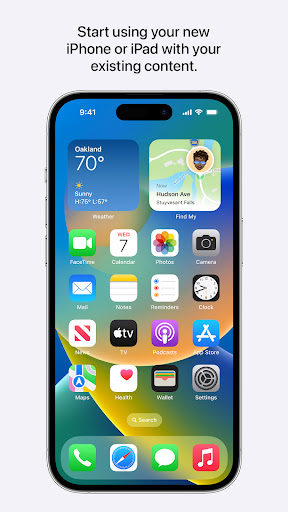
Move to iOS helps you migrate your content automatically and securely from your Android device to iPhone, iPad, or iPod touch. It supports to transfer all kinds of content, including contacts, message history, web bookmarks, calendars, mail accounts, camera photos and videos, etc.
When you migrate your data, your new iPhone or iPad will generate a private WiFi network and find your nearby Android device that is running Move to iOS. It will start to transfer your content once you enter a security code.
Before you begin, please make sure Wi-Fi on your Android device is turned on, and the content you’re moving , including what’s on your external Micro SD card, will fit on your new iOS device. Then plug both your new iOS device and your Android device into power.
How to use Move to iOS?
Tap Move Data from Android: Tap Move Data from Android in the App & Data screen when you set up your new iOS device. You need to erase your iOS device and start over if you already finished setup. Or you may transfer your content manually.
Open the Move to iOS App: Open the Move to iOS app on your Android device and tap continue. Read the terms and conditions that appear. To continue, tap Agree. Then tap Next in the top-right corner of the Find Your Code screen.
Wait For A Code: On your iOS device, tap Continue on the screen called Move from Android. Then wait for a ten-digit or six-digit code to appear. If your Android device shows an alert that you have a weak Internet connection, you can ignore the alert.
Use the Code: Enter the code on your Android device. Then wait for the Transfer Data screen to appear.
Choose Your Content and Wait: On your Android device, select the content that you want to transfer and tap Next. Then — even if your Android indicates that the process is complete — leave both devices alone until the loading bar that appears on your iOS device finishes. The whole transfer can take a while, depending on how much content you're moving.
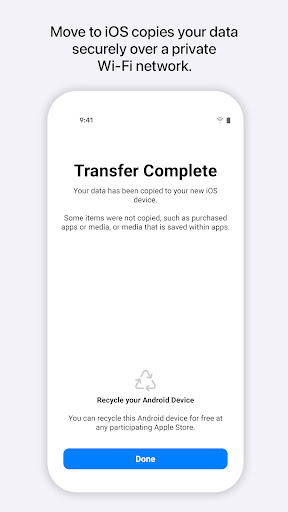
Set Up Your iOS Device: After the loading bar finishes on your iOS device, tap Done on your Android device. Then tap Continue on your iOS device and follow the onscreen steps to finish setup for your iOS device.
Finish Up: Make sure that all of your content transferred. Music, Books, and PDFs need to be moved over manually. Need to get the apps that were on your Android device? Go to the App Store on your iOS device to download them.
More:
Make sure both phones are in the same network. To transfer the content, iPhone will create a hotspot that you need to connect to. Select the temporary WiFi created by the iOS device. It looks like "iOS." Join the network
Enter a password on the pop-up window. The password is the same as the network name.
If you enter the code, but the app doesn't work and reminds you of "iOS*doesn't have the internet." You can tap on the notification and force connect to the network, then get back to the Move to iOS and type in the code.
You can download this app from Google Play Store or the APK we provide here to install it. Don't worry; we make sure that the APK is 100% safe to use.