Now arriving: the all-new Uber Pro Card
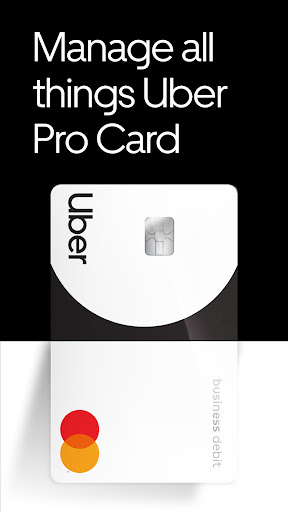
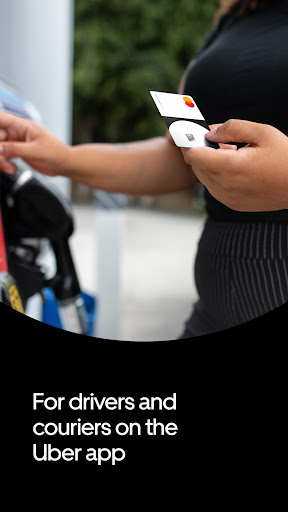
The Uber Pro Card is a business debit Mastercard and a checking account powered by Branch that is designed exclusively for drivers and couriers who use the Driver app. You can use it to pay for purchases anywhere Mastercard is accepted.
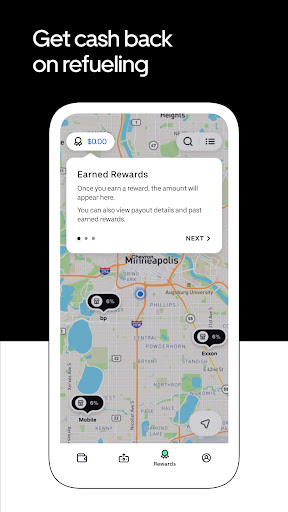
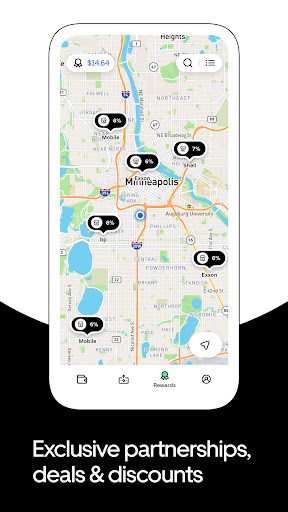
Up to 7% cash back on gas with Diamond status: Pay for gas with your Uber Pro Card¹ and get cash back at any station, in any city. The higher your Uber Pro status, the more cash back you can get.² To save even more, use the map on the Uber Pro Card app to find gas stations that participate in Mastercard Easy Savings, a cash back program reserved for small business owners. You can also add your Uber Pro Card to an Upside account.
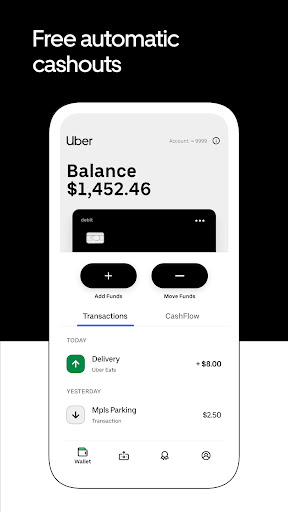
Free automatic cashouts: Earnings go directly to your Uber Pro Card after every trip—free of charge.³
Backup Balance up to $150: We’ve got your back when your cash is low. Access up to $150 when you need it most. Terms apply.⁴
Your card, your money, your way: You can add your Uber Pro Card to your favorite digital wallet for tap-to-pay. You can also withdraw cash for free at 55,000 ATMs.⁵
¹Banking services are provided by Evolve Bank & Trust, Member FDIC. The Uber Pro Card is a Mastercard debit card powered by Branch and issued by Evolve Bank & Trust pursuant to a license from Mastercard and may be used everywhere Mastercard debit cards are accepted. Uber is not responsible for the products and/or services offered by other companies, or for the terms and conditions (including financial terms) under which those products and/or services are offered.
²Up to 7% is available for drivers and couriers with Diamond status who purchase gas at stations with Mastercard Easy Savings. Mastercard Easy Savings may not be available in all locations. For more information on Mastercard Easy Savings, visit their Terms and Conditions page here. Base cash back benefit is between 6% and 2%, depending on your Uber Pro status. Total amount of cash back you can earn each month with the Uber Pro Card is $100.
³Delays can happen due to technical issues, but transfers are expected to happen in 1-5 seconds, on average.
⁴Backup Balance is only available to Uber Pro Card users with enabled automatic cashouts after every trip. It also requires a minimum of $700 in earnings on the Uber platform in the previous calendar month. Those with Diamond or Platinum status can access $150, those with Gold $100, and those with Blue or Green can access $50.
⁵Branch partners with Allpoint Network to provide access to over 55,000 no-fee ATMs. You may incur a fee by withdrawing funds from an ATM outside this network. Use the ATM Locator within the Uber Pro Card app to ensure that you are using an in-network, no-fee ATM.
If you’re an Android user and don’t download the app from the official Google Play Store, you may find the installation process more complicated than usual.
But we are delighted to inform you that you don’t need to worry. To ensure you could install this app smoothly, we have written and uploaded a detailed tutorial. It would guide you on installing an app after downloading it from our website step by step, with the help of pictures.
You may find this helpful article on the downloading site, or visit How to install APK/XAPK files on Android.
If you need further help, please do not hesitate to contact us via email [email protected].
We fully understand your concern about safety. We agree that one person wouldn’t be too careful in the cyber world. Meanwhile, we are happy to tell you that one of our priorities is to provide our users with safe app files that they can use without any worries.
We guarantee that all the app files we provided originate from official and reliable sources. We promise that they do not contain any malware that will harm your hardware or the safety of your privacy.
We are glad to let you know that the vast majority of apps on our website are available for free download. Only a small selection of apps require payment, and their prices are set solely by the respective developers—we simply provide an official and secure download platform.
Rest assured, whether an app is free or paid, every download link on our site is verified and completely safe. You can download with confidence, and no account registration is needed—just click the download button and you're all set!
Recently we received a lot of emails from our users, which said they couldn't log in for different reasons, such as "forgot the user name or password" or "had a new phone." We are willing to help you out. Please read the notes below to see what we can do.
To answer this question, please first let us know which account you’re referring to.
If you're referring to your account of some app, like your Facebook account or your Youtube account. Unfortunately, we would not be able to help in this case. We would suggest you turn to the customer service of this application.
If you’re referring to your Appurse account, we should apologize for your confusion since there is no Appurse account. We never require registration for our service, and you will not find any procedure related to creating an account or registering on our website.
This question is essentially quite similar to the prior one. It’s a pity that we are unable to help you to cancel the subscription to a third-party application directly, while we would suggest you to contact its customer service for further information.
Sorry that we are unable to help you to get a refund from a third-party application directly. If you wish to get a refund from a third-party app, we would suggest you to contact its customer service. We would be happy to provide you the way to contact them.
If you want a refund from us, we should apologize for your confusion. Our service is 100% free, and any payment information is not required.
If you run into any site that asks you to provide your payment information, be careful. Remember never reveal your payment information to any unauthorized third parties, no matter how attempting their offer may seem.
Sorry that we cannot answer this question directly, for this only aims to answer some general questions. You may find how to use a certain app by checking our review page.