UPDATE Some customers have reported an issue where the app has stopped working. You can fix this by deleting and reinstalling it. We're still looking into the cause. If you have this problem, please let us know - go to “Provide app feedback” on the Support tab.
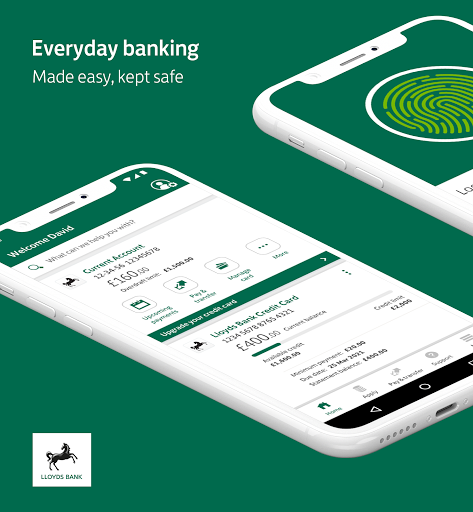
When it’s hard to find time for those small but important jobs, the Lloyds Bank app is here to help. It’s easy to use, fast, convenient and more secure than ever, with built-in security technology to keep your banking details safe and private.
And since you’ve usually got your mobile or tablet on you, it’s the simplest way to do your everyday banking.
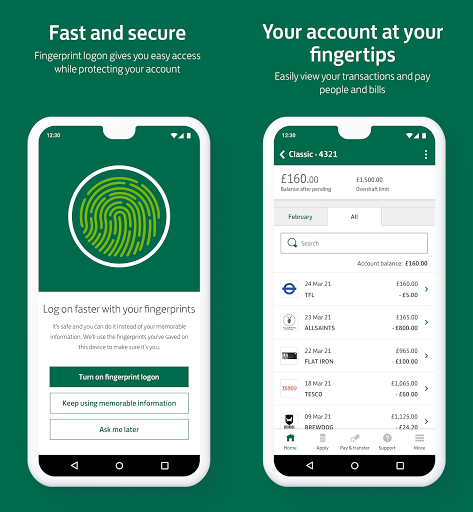
- Log on quickly and securely with your fingerprint or a 3-character combination from your memorable information
- Check your account balances and pending payments
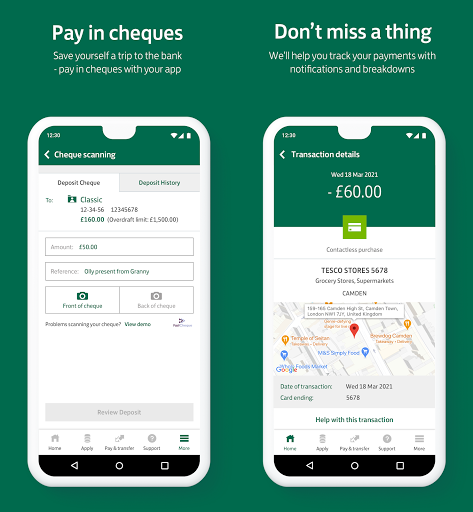
- View individual transaction details
- Transfer money between accounts, and make UK and international payments
- Pay your loan or credit card bill
- Pay in cheques
- Earn as you spend with Everyday Offers
- Apply for loans, savings, cards and more
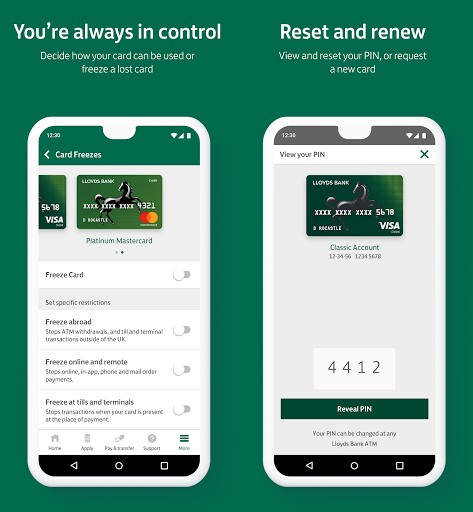
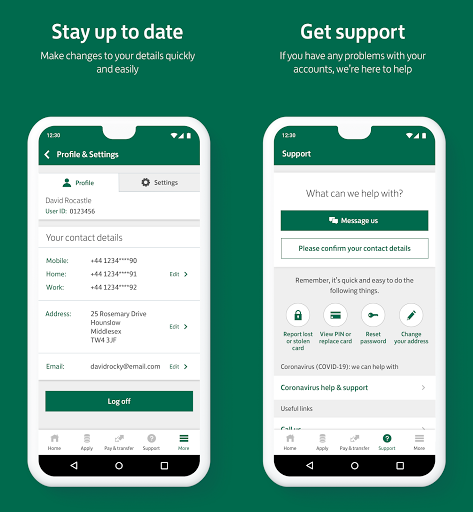
- Freeze debit card transactions, report lost or stolen cards and order replacements
- Reset your password
- Update the your contact details
- Call us safely from the app – we’ll already know it’s you so can quickly connect you without the usual security checks.
GETTING STARTED
New to this app? Setting it up is quick and easy – you just need to register your device. For this you’ll need:
- An up-to-date phone number registered with us
- Lloyds Bank UK personal, Islands personal or sterling international account
- Internet Banking user ID, password and memorable information (you can create these in the app)
- A device that isn’t rooted.
KEEPING YOU SAFE ONLINE
We use the latest online security measures to protect your money, your personal information and your privacy. As a Lloyds Bank Mobile Banking customer, you automatically benefit from our online and mobile banking guarantee: http://www.lloydsbank.com/security.asp
CONTACTING YOU
We won't contact you any more than normal if you use the app. But please stay alert to email, text messages or phone calls that appear to be from us. Criminals may try to trick you into giving them sensitive personal or account information. We'll never contact you to ask for these details. Any emails from us will always greet you personally using your title and surname and either the last 4 digits of your account number or the last part of your postcode '* 1AB'. Any text messages we send you will come from LLOYDSBANK.
IMPORTANT INFORMATION
Mobile Banking is available to our UK personal (and some Channel Islands, Isle of Man and WorldWide Service) Internet Banking customers. Services may be affected by phone signal and functionality. Terms and conditions apply.
You must not download, install, use or distribute our Mobile Banking apps in the following countries: North Korea; Syria; Sudan; Iran; Cuba and any other country subject to UK, US or EU technology export prohibitions.
Please note that features that require the use of your device’s phone capability, such as Call us, won’t work on tablets.
When you use this app we collect anonymous location data to help combat fraud, fix bugs and improve future services.
Everyday Offers is available to Lloyds Bank UK personal current account customers (excluding Basic Account holders) aged 18+ with a debit/credit card who bank online. Terms and conditions apply.
Fingerprint Logon requires a compatible mobile running Android 6.0 or higher and may not currently work on some tablets.
Save the Change® is a registered trademark of Lloyds Bank plc.
Lloyds Bank plc (registered in England and Wales (no. 2065), registered office: 25 Gresham Street, London EC2V 7HN). Authorised by the Prudential Regulation Authority and regulated by the Financial Conduct Authority and the Prudential Regulation Authority under registration number 119278.
If you’re an Android user and don’t download the app from the official Google Play Store, you may find the installation process more complicated than usual.
But we are delighted to inform you that you don’t need to worry. To ensure you could install this app smoothly, we have written and uploaded a detailed tutorial. It would guide you on installing an app after downloading it from our website step by step, with the help of pictures.
You may find this helpful article on the downloading site, or visit How to install APK/XAPK files on Android.
If you need further help, please do not hesitate to contact us via email [email protected].
We fully understand your concern about safety. We agree that one person wouldn’t be too careful in the cyber world. Meanwhile, we are happy to tell you that one of our priorities is to provide our users with safe app files that they can use without any worries.
We guarantee that all the app files we provided originate from official and reliable sources. We promise that they do not contain any malware that will harm your hardware or the safety of your privacy.
We are glad to let you know that the vast majority of apps on our website are available for free download. Only a small selection of apps require payment, and their prices are set solely by the respective developers—we simply provide an official and secure download platform.
Rest assured, whether an app is free or paid, every download link on our site is verified and completely safe. You can download with confidence, and no account registration is needed—just click the download button and you're all set!
Recently we received a lot of emails from our users, which said they couldn't log in for different reasons, such as "forgot the user name or password" or "had a new phone." We are willing to help you out. Please read the notes below to see what we can do.
To answer this question, please first let us know which account you’re referring to.
If you're referring to your account of some app, like your Facebook account or your Youtube account. Unfortunately, we would not be able to help in this case. We would suggest you turn to the customer service of this application.
If you’re referring to your Appurse account, we should apologize for your confusion since there is no Appurse account. We never require registration for our service, and you will not find any procedure related to creating an account or registering on our website.
This question is essentially quite similar to the prior one. It’s a pity that we are unable to help you to cancel the subscription to a third-party application directly, while we would suggest you to contact its customer service for further information.
Sorry that we are unable to help you to get a refund from a third-party application directly. If you wish to get a refund from a third-party app, we would suggest you to contact its customer service. We would be happy to provide you the way to contact them.
If you want a refund from us, we should apologize for your confusion. Our service is 100% free, and any payment information is not required.
If you run into any site that asks you to provide your payment information, be careful. Remember never reveal your payment information to any unauthorized third parties, no matter how attempting their offer may seem.
Sorry that we cannot answer this question directly, for this only aims to answer some general questions. You may find how to use a certain app by checking our review page.