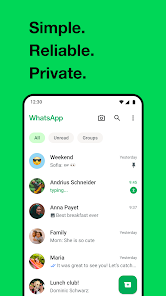
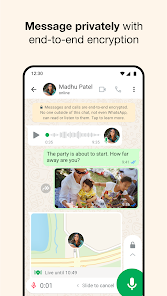
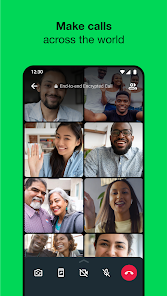
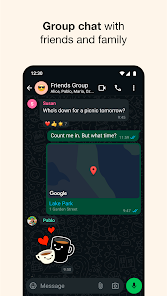
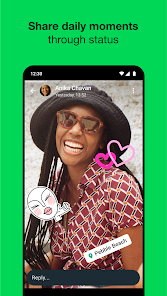
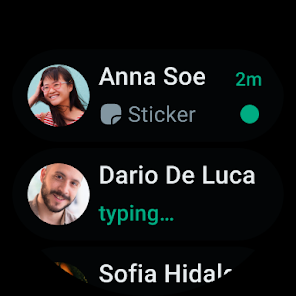
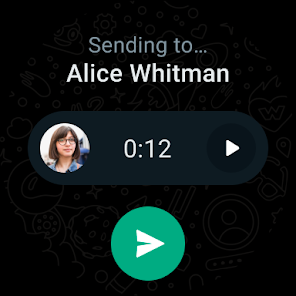
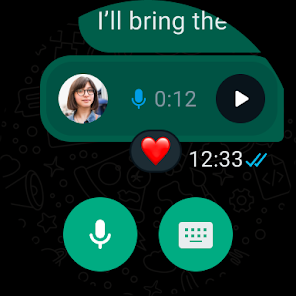
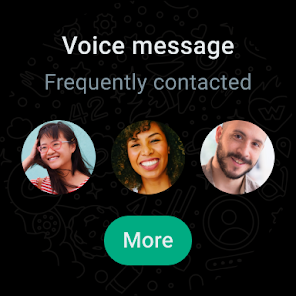
WhatsApp Messenger is a widely used cross-platform messaging app owned by Meta that lets users send text messages, make voice and video calls, share photos, documents and voice notes, and create group chats. Known for its ease of use and end-to-end encryption for personal conversations, WhatsApp targets both casual users and small businesses with free core features, a simple interface, and broad global adoption.
WhatsApp has released an urgent security update for its iOS and macOS apps to address a high‑severity vulnerability that could be exploited by attackers. Users on iPhone, iPad and Mac are strongly advised to install the update from the App Store or Mac App Store (or download only from WhatsApp’s official site for desktop builds) without delay. After updating, restart the app (and the device if possible) to ensure the patch takes effect. To stay protected, enable automatic app updates and avoid installing WhatsApp builds from untrusted sources. If you rely on WhatsApp for business or sensitive communications, consider reviewing device security settings and applying any pending OS updates as well.
1. Strong privacy baseline with end-to-end encryption for personal chats and calls.
2. Wide adoption and cross-platform availability (iOS, Android, Web, Desktop) making it easy to connect with most contacts worldwide.
3. Rich feature set: voice/video calling, group management, status updates, voice messages, file sharing, and business tools.
1. Owned by Meta, which raises privacy concerns for some users despite encryption—metadata handling and platform integration remain points of debate.
2. Backups (cloud) historically have had limitations and optional encryption; restoring/moving full chat history between Android and iOS can be cumbersome in some cases.
3. Advanced features (Channels, Communities) may add complexity and occasional feature parity issues across platforms and regions.
Yes—one‑to‑one and group messages, as well as calls, are protected with end-to-end encryption by default. This means message content is encrypted between sender and recipient devices. However, some metadata (who you message, timestamps) is still processed by WhatsApp's servers.
Yes. WhatsApp supports multi-device functionality that lets you link secondary devices (desktop, web, and some tablets) without keeping your phone online. The exact number of linked devices and feature availability may vary by update, but core messaging and calling are supported across linked devices.
Backups for Android typically use Google Drive and iOS uses iCloud. WhatsApp has added encrypted cloud backup options for added security. Transferring full chat history between Android and iPhone has improved but may require official transfer tools and both devices to meet certain OS/version requirements. For the latest, follow WhatsApp’s official help guides.
If you’re an Android user and don’t download the app from the official Google Play Store, you may find the installation process more complicated than usual.
But we are delighted to inform you that you don’t need to worry. To ensure you could install this app smoothly, we have written and uploaded a detailed tutorial. It would guide you on installing an app after downloading it from our website step by step, with the help of pictures.
You may find this helpful article on the downloading site, or visit How to install APK/XAPK files on Android.
If you need further help, please do not hesitate to contact us via email [email protected].
We fully understand your concern about safety. We agree that one person wouldn’t be too careful in the cyber world. Meanwhile, we are happy to tell you that one of our priorities is to provide our users with safe app files that they can use without any worries.
We guarantee that all the app files we provided originate from official and reliable sources. We promise that they do not contain any malware that will harm your hardware or the safety of your privacy.
We are glad to let you know that the vast majority of apps on our website are available for free download. Only a small selection of apps require payment, and their prices are set solely by the respective developers—we simply provide an official and secure download platform.
Rest assured, whether an app is free or paid, every download link on our site is verified and completely safe. You can download with confidence, and no account registration is needed—just click the download button and you're all set!
Recently we received a lot of emails from our users, which said they couldn't log in for different reasons, such as "forgot the user name or password" or "had a new phone." We are willing to help you out. Please read the notes below to see what we can do.
To answer this question, please first let us know which account you’re referring to.
If you're referring to your account of some app, like your Facebook account or your Youtube account. Unfortunately, we would not be able to help in this case. We would suggest you turn to the customer service of this application.
If you’re referring to your Appurse account, we should apologize for your confusion since there is no Appurse account. We never require registration for our service, and you will not find any procedure related to creating an account or registering on our website.
This question is essentially quite similar to the prior one. It’s a pity that we are unable to help you to cancel the subscription to a third-party application directly, while we would suggest you to contact its customer service for further information.
Sorry that we are unable to help you to get a refund from a third-party application directly. If you wish to get a refund from a third-party app, we would suggest you to contact its customer service. We would be happy to provide you the way to contact them.
If you want a refund from us, we should apologize for your confusion. Our service is 100% free, and any payment information is not required.
If you run into any site that asks you to provide your payment information, be careful. Remember never reveal your payment information to any unauthorized third parties, no matter how attempting their offer may seem.
Sorry that we cannot answer this question directly, for this only aims to answer some general questions. You may find how to use a certain app by checking our review page.