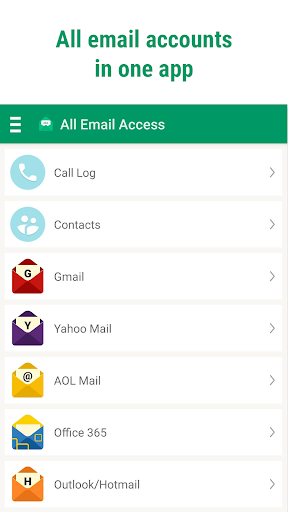
All Email Access is a mail app for Android that allows you to connect to your multiple email accounts from a single webmail app. It also creates a powerful link between your mailbox and phone calls, and identifies callers, with e mail options directly from the caller ID screen.
In this fast-moving mobile age, you need fast mail login access and better ways to manage your inbox. This easy-to-use e-mail app simplifies email login and allows you to manage various mailboxes with a single click.
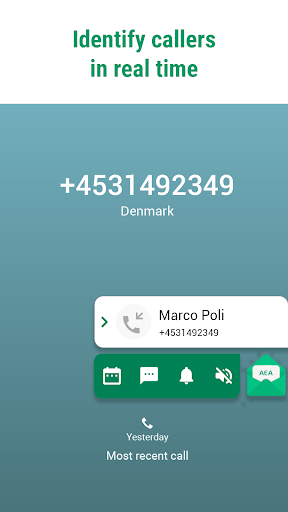
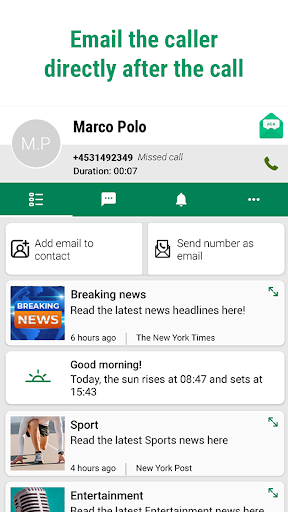
What sets All Email Access apart from other mail apps is the smart Caller ID. It identifies callers in real-time, even if the caller isn’t in your phonebook. The link between calls and emails means you can also easily and instantly send mails to the caller’s email address or access your mail box directly after the call ends.
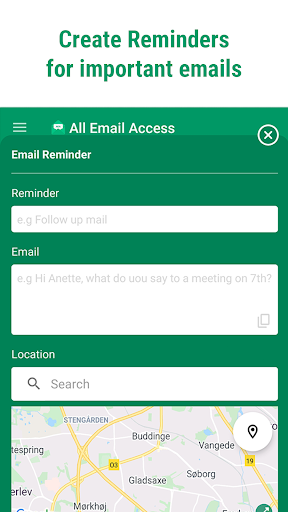
It’s important to have a break from your emails, but sometimes you think of an important mail you need to send at a time or place that is not convenient. Now you can set yourself a location-based email reminder which will send a notification to your screen when you arrive at the location you have selected, prompting you with the notes you wrote to yourself in the reminder.
This email organizer app will strongly enhance your mobile communication and productivity.
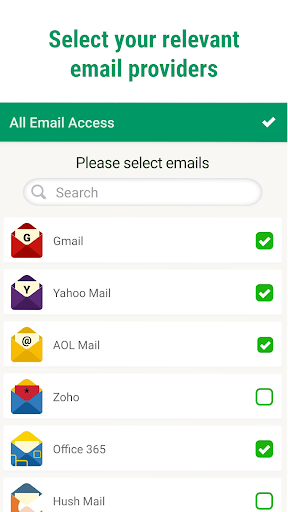
· Super easy all email access: Universal mail client lets you access all emails in one simple mail app (compatible with a large number of different mobile email providers).
· Location Reminders: Helps you remember to send important emails when you arrive at locations such as work.
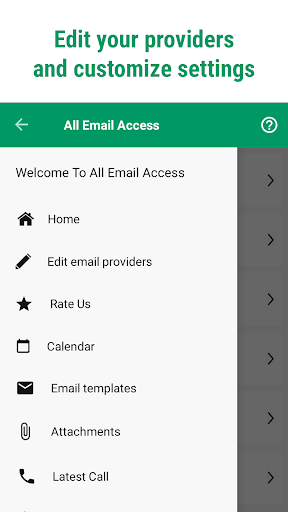
· Attachments folder: See all your downloaded email attachments clearly in one place, without the need to search for them on your device.
· Useful Calendar: Make new entries directly from the app.
· ID Caller: Each time you receive a call you will see the caller’s details.
· Easy email access from the caller ID screen allows you to mail the caller quickly.
· Save contacts: Save unknown incoming contacts with one click after each call.
· Make it your own: You can easily adjust caller ID to your preferences in the app settings.
· Overview of call history: Call log and instant access to your phonebook in the app.
Dedicated customer support: Our dedicated customer support team will ensure you have great functionality from amazing features.
If you’re an Android user and don’t download the app from the official Google Play Store, you may find the installation process more complicated than usual.
But we are delighted to inform you that you don’t need to worry. To ensure you could install this app smoothly, we have written and uploaded a detailed tutorial. It would guide you on installing an app after downloading it from our website step by step, with the help of pictures.
You may find this helpful article on the downloading site, or visit How to install APK/XAPK files on Android.
If you need further help, please do not hesitate to contact us via email [email protected].
We fully understand your concern about safety. We agree that one person wouldn’t be too careful in the cyber world. Meanwhile, we are happy to tell you that one of our priorities is to provide our users with safe app files that they can use without any worries.
We guarantee that all the app files we provided originate from official and reliable sources. We promise that they do not contain any malware that will harm your hardware or the safety of your privacy.
We are glad to let you know that the vast majority of apps on our website are available for free download. Only a small selection of apps require payment, and their prices are set solely by the respective developers—we simply provide an official and secure download platform.
Rest assured, whether an app is free or paid, every download link on our site is verified and completely safe. You can download with confidence, and no account registration is needed—just click the download button and you're all set!
Recently we received a lot of emails from our users, which said they couldn't log in for different reasons, such as "forgot the user name or password" or "had a new phone." We are willing to help you out. Please read the notes below to see what we can do.
To answer this question, please first let us know which account you’re referring to.
If you're referring to your account of some app, like your Facebook account or your Youtube account. Unfortunately, we would not be able to help in this case. We would suggest you turn to the customer service of this application.
If you’re referring to your Appurse account, we should apologize for your confusion since there is no Appurse account. We never require registration for our service, and you will not find any procedure related to creating an account or registering on our website.
This question is essentially quite similar to the prior one. It’s a pity that we are unable to help you to cancel the subscription to a third-party application directly, while we would suggest you to contact its customer service for further information.
Sorry that we are unable to help you to get a refund from a third-party application directly. If you wish to get a refund from a third-party app, we would suggest you to contact its customer service. We would be happy to provide you the way to contact them.
If you want a refund from us, we should apologize for your confusion. Our service is 100% free, and any payment information is not required.
If you run into any site that asks you to provide your payment information, be careful. Remember never reveal your payment information to any unauthorized third parties, no matter how attempting their offer may seem.
Sorry that we cannot answer this question directly, for this only aims to answer some general questions. You may find how to use a certain app by checking our review page.